Example: Configure the template account
This example shows you how to configure a template account.
Requirements
This example assumes that:
You have installed Bravura Workforce Pattern so a basic template account on the Active Directory target system has been added by the onboarding scenario component.
You have run auto-discovery successfully and listed accounts on the Active Directory target system.
You have an account named support_template that you want to use as the model account.
Click below to view a demonstration of modifying a template account so it is linked to an actual account on a target system, and then configuring it to skip authorization requirements. This template account can then be used for onboarding new employees using a pre-defined request (PDR).
Configure the template account
You can define template accounts once you have run auto-discovery successfully and listed accounts on at least one target system.
To configure the template account:
Log in to the Front-end (PSF) as
superuser.Click Manage the system > Resources > Template accounts.
There is a pre-configured template account for the Active Directory target system. This was configured when you installed Bravura Workforce Pattern.
Select AD_TEMPLATE .
Click the search icon
 to the right of Account to clone when creating a new user.
Search and select
support_template.Ensure the remaining information is filled in.
ID AD_TEMPLATE
Description !!!REF_TEMPLATE_BASIC_AD
Target system AD
Account to clone when creating a new user support_template
Leave the other settings as default.
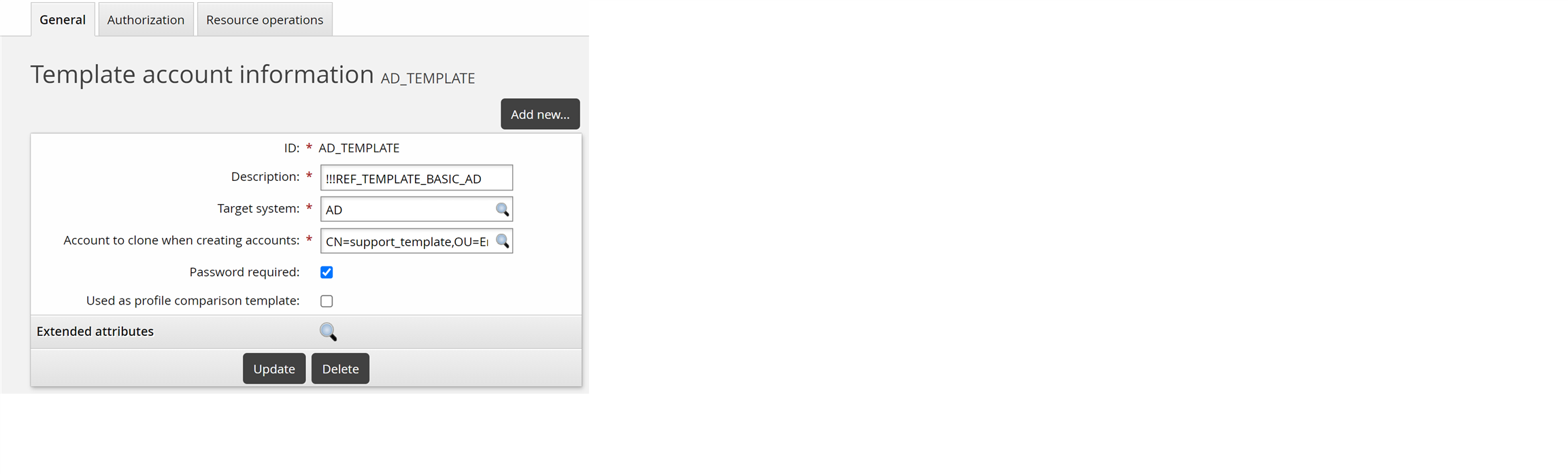
Click Update.
Configure authorization
You must configure authorization before the template can be used. For now, make authorization not required.
Set the minimum number of authorizers:
Select the Authorization tab.
Set the minimum number of authorizers to 0.
Set the number of denials before a change request is terminated to 0.
Click Update.
You have now configured a template account for requesting new accounts on the Active Directory target system.
Configure template-level resource operations
You can configure target systems so that templates inherit the resource operation configuration settings of the target system. You can also override the configuration for a template, or add implementers.
To override resource operations so that accounts are created by a human implementer:
Select the Resource operations tab.
Select Implementer operation.
Click Update.
Click Select … at the bottom of the Implementers table.
Search for, or select the checkboxes next to the implementers you want to assign to the resource.
Click Select at the bottom of the page.
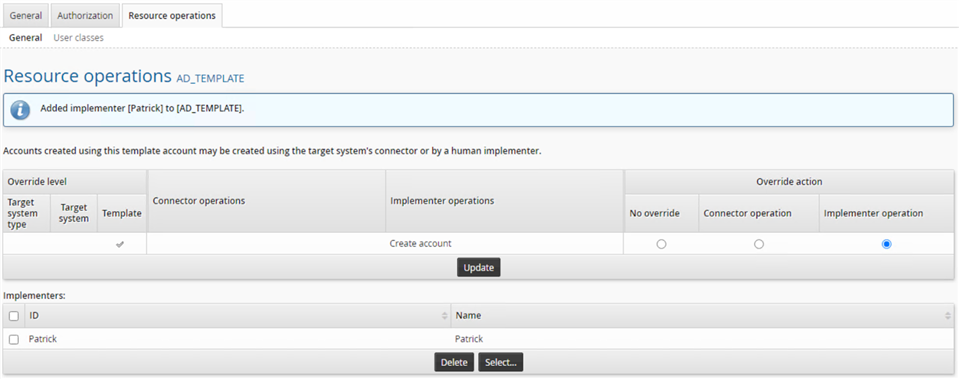
You have now configured the template so that a human implementer is assigned to create the account.