Reviewing configurations
Getting started
Responding to a certification request
If you are a reviewer who must review configuration of roles or SoD rules, Bravura Security Fabric sends you an email request when it is time for you to begin the review process.
To begin certifying configurations:
Follow the link in your email invitation or log into the main menu .
Click Review entitlements and configurations or the task link:
Please review the configuration for: [<review description>].
If necessary, select from the list of certification campaigns.
Responding as a delegate
You may be asked to act as a delegate and certify configuration on behalf of another user. Once you have accepted the delegation request:
Click Review entitlements and configurations as a delegate or the task link:
Please review the configuration for: [<review description>] as a delegate.
If necessary, select from the list of certification campaigns.
Certify and update configurations
To certify configuration of roles and segregation of duties rules:
Navigate to the page
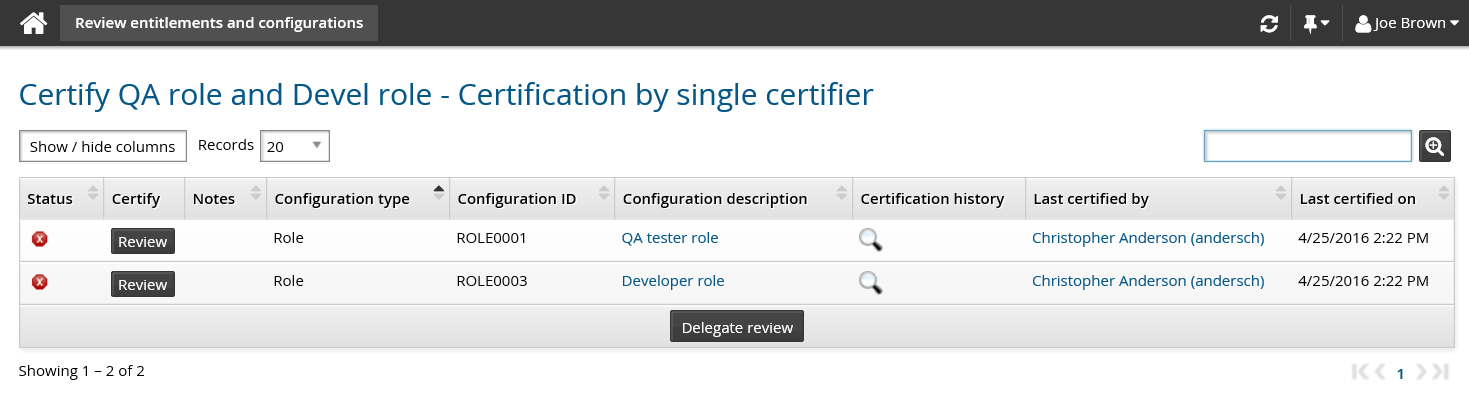
Click Review to start certifying a configuration.
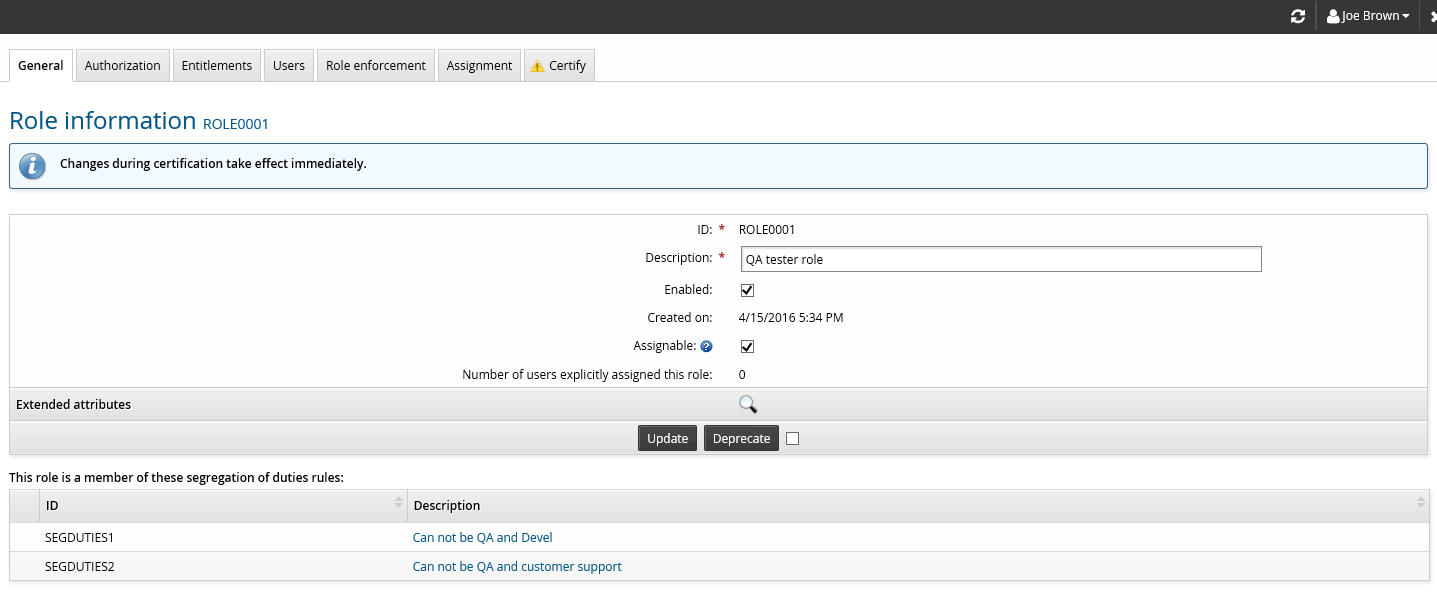
Browse through all the tabs of the configuration. Verify and update the configuration as required.
Click the Certify tab.
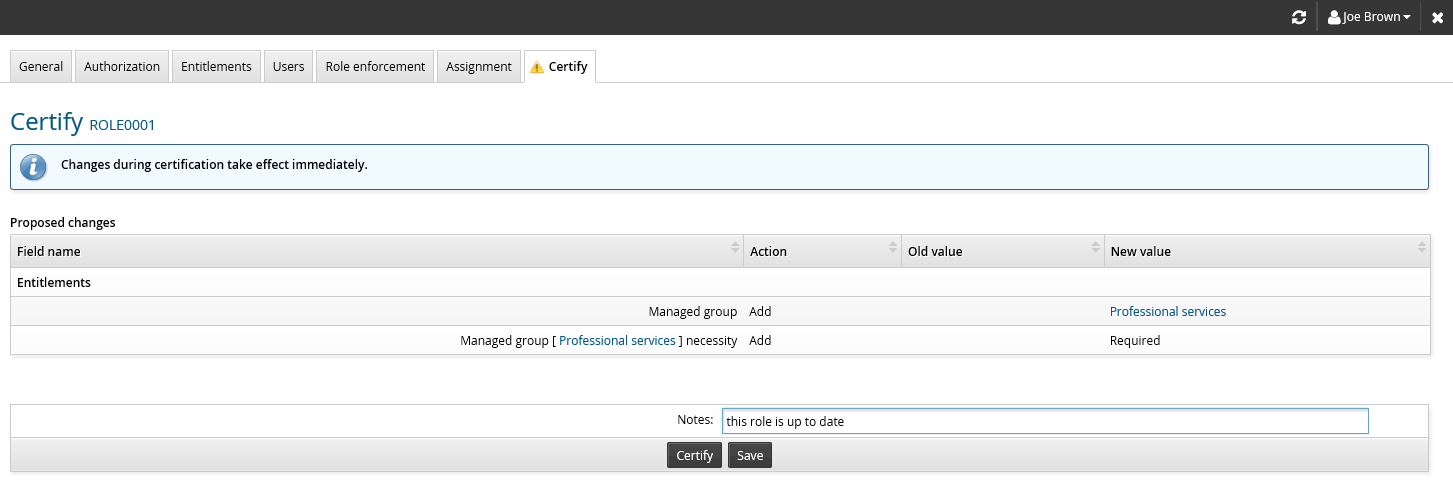
Enter notes and click Certify.
Click the close
 icon or press Esc to close the pop-up window.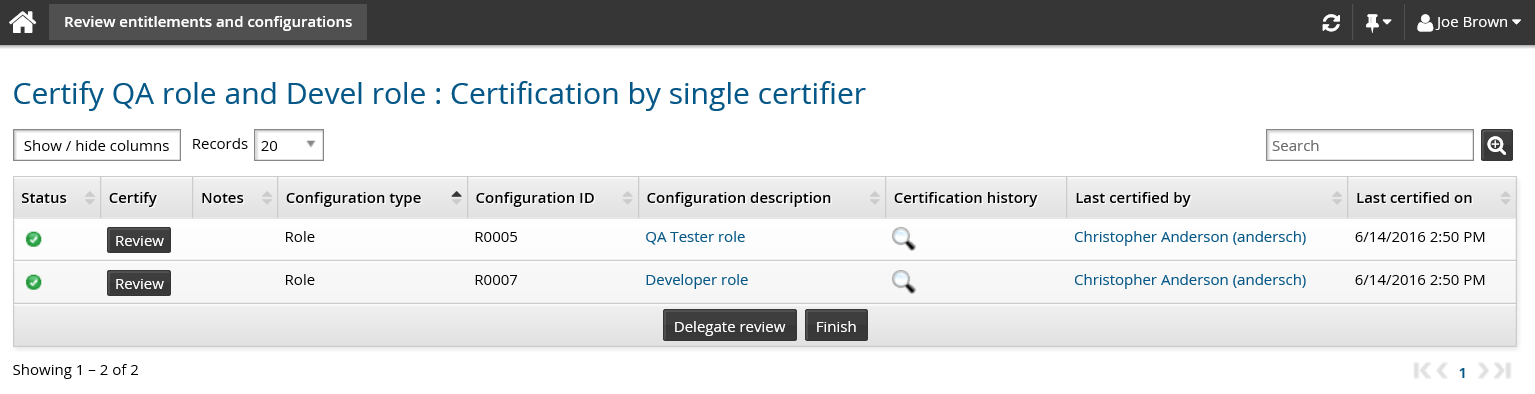
If the configuration is modified out-of-band before the campaign is signed off, the configuration status is updated to be uncertified. You would have to certify the configuration again.
When there are no more items to certify, click Finish.
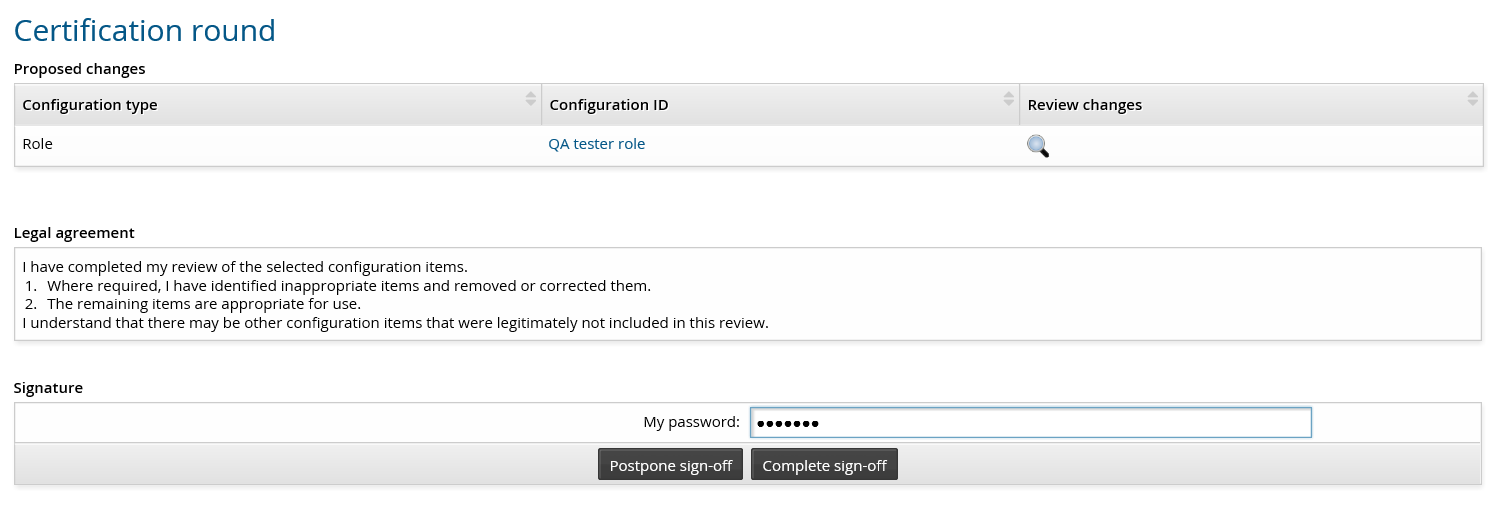
Review your work and the legal statement.
Enter your password and click Complete sign-off if you are ready to submit your review.
Alternatively, if you want to make additional changes, click Postpone sign-off to return to the review list.