Bravura Safe
Connector name |
|
Connector type | Python script, |
Type (UI field value) | Bravura Safe |
Connector status / support | Bravura Security-Verified This connector has been tested and is fully supported by Bravura Security. |
Installation / setup | It also has an
|
Upgrade notes | Added in Connector Pack 4.5 and removed for Connector Pack 4.8. The Bravura Safe connector is for targeting Bravura SafeBravura Safe servers that were created prior to 2025. The Bravura Safe (2025+) connector should be used for the latest Bravura Safe servers from 2025 and later. |
Bravura Security Fabric utilizes the agtpython connector to be able to manage the Bravura Safe credentials from collections for the users within an organization or team from Bravura Safe .
The following Bravura Security Fabric operations are supported by the Bravura Safe connector:
get server information
user verify password
user change password
administrator reset password
create account
delete account
add user to group
delete user from group
create group
delete group
List:
accounts
attributes
groups
members
For a full list and explanation of each connector operation, see Connector operations.
Note
The account operations for the agtbsafe connector refer to the Bravura Safe credentials or items found within a user's Safe collection.
The adding to or deleting users from groups operations refer to adding or removing Bravura Safe credentials or items to or from a user's Safe collection.
The group operations refer to the list of collections found within Bravura Safe.
See also
The Bravura Safe User Management connector can be used to list users from an organization or team from Bravura Safe and to be able to reset their master passwords. This connector is for users logging into Bravura Safe .
Preparation
Before you can target Bravura Safe , you must:
Set up Bravura Safe
See Bravura Safe Documentation to learn how to set up a Bravura Safe instance, team, and users.
Recommended Bravura Safe permission sets
The following are the recommended sets of permissions for the Bravura Safe administrator as well for general access to the Bravura Safe web instance.
Bravura Safe target administrator:
User type: Custom
Admin Permissions:
Manage all collections
Create new collections
Edit any collection
Delete any collection
Access Control:
"This user can access and modify all items" must be selected
Bravura Safe web instance for administration and setup:
User type: Custom
Admin Permissions:
Create new collections
Edit any collection
Access Control:
The option for "This user can access only the selected collections" should be selected and set with no collections specified.
This will allow for the creation of collections and credentials as well as adding users to collections, but not be able to view the credentials in the collections once they are created. This would also allow the administrator to add themselves to a collection to view or edit the credentials.
Set up target system administrators
The Bravura Safe target system requires two administrative credentials that are previously configured on the Bravura Safe instance.
To configure the first target administrator:
Log in to Bravura Safe via the web interface and open your Team.
Click Teams, then
Manage.Invite a new user:
Click Invite User.
Enter the email address for a user that will be used as the administrator.
Set the User type to Custom.
Set the specific permissions as noted above for the recommended permissions.
Click Save.
Complete the process to onboard the user.
Alternatively, edit the permissions for a current user by clicking on their email address and modifying for the above set of recommended permissions.
The email address and master password set for this user will be used for the system credentials for the Bravura Safe target system.
To configure the second target administrator:
Log in to Bravura Safe via the web interface and open your Team.
Click the drop-down for the user profile icon located at the top right of the screen.
Click Account settings.
Click Security, then the tab.
Click View API key.
Enter the current user’s master password to confirm identity.
This will then display values for client_id and client_secret.
These values will be used for the administrator credentials for the Bravura Safe User Management target system.
Configuring Bravura Safe collections for auto-association
The following are recommended Bravura Safe target system settings for using the collections and managed groups:
Source of Profile IDs: unchecked.
Automatically attach accounts: checked
Account attribute to automatically attach accounts to user profiles: set to the
_collectionNamesaccount attribute.
The Bravura Safe collections for this purpose are named exactly the same as the profile ID of the user in the Bravura Pass instance. Each item in that collection will then be listed as an account for the user from the Bravura Safe target. For example:
In Bravura Safe a collection exists and is named "User1".
Within the "User1" collection, there may be one or more login items stored.
Each of these login items will be listed as accounts for the "User1" user in Bravura Pass .
Targeting Bravura Safe
For each Bravura Safe system, add a target system in Bravura Security Fabric (Manage the System > Resources > Target systems):
Type is
Bravura SafeAddress uses options described in the table below:
Options marked with a  are required.
Option | Description |
|---|---|
Script file: | The hard-coded script file that is used by the Bravura Safe connector ( (key: script) |
Server: | The domain name URL for the Bravura Safe instance. (key: server) |
HTTP Network Proxy: | Specifies a network proxy URL to use for connecting. (key: proxy) |
Organization name: | The organization or team name within the Bravura Safe instance that will be used to target. (key: organizationName) |
List deleted users on supported systems: | The organization or team name within the List items that have been deleted and are located in Trash for the team on the Bravura Safe instance. (key: listDeleted) |
The full list of target parameters is explained in Target System Options.
Setting the administrator credentials
The Bravura Safe target system requires two administrative credentials, as outlined in Set up target system administrators
The first administrator and password are set to the email address and master password of the administrative user that was previously onboarded. The System password option must be checked.
The second administrator and password are set to the values for client_id for the administrator id and client_secret for the administrator password for the API key on the Bravura Safe instance.
Targeting groups
Managed groups in Bravura Security Fabric for the Bravura Safe target are listed from the collections in the Bravura Safe instance.
Note
From the Bravura Safe instance, groups (located from Teams, Manage, Groups) are not used within the scope of a Bravura Security Fabric instance.
Handling account attributes
You can view the complete list of attributes that Bravura Security Fabric can manage, including native and pseudo-attributes, using the Manage the system (PSA) module. To do this, select Bravura Safe from the Manage the system > Resources > Account attributes > Target system type menu.
Handling group attributes
You can view the complete list of attributes that Bravura Security Fabric can manage, including native and pseudo-attributes, using the Manage the system (PSA) module. To do this, select Bravura Safe from the Manage the system >Resources >Group attributes >Target system type menu.
Adding items in Bravura Safe
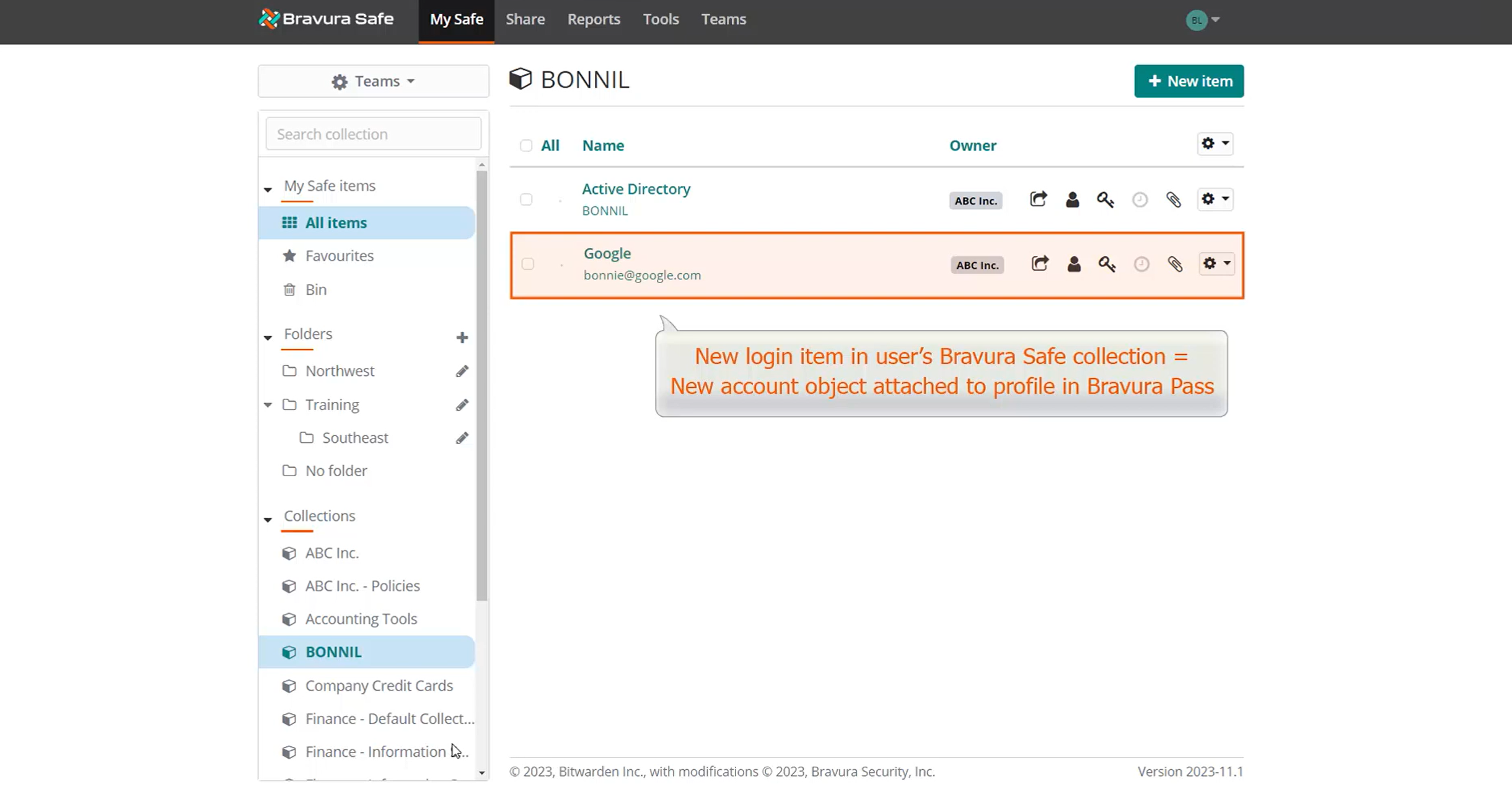
When Bravura Safe is integrated with Bravura Pass , adding login items to the user's named collection in Bravura Safe also adds corresponding accounts to the user's profile in Bravura Pass .
For example, if the user BONNIL adds a new login item to her named "BONNIL" collection in Bravura Safe and auto-discovery is run in Bravura Pass , an account object is created on the Bravura Safe target system and is attached to Bonnie's profile, ensuring password synchronization with the corresponding native target account.
Deleting Bravura Safe items
When a Bravura Safe item is deleted directly on the Bravura Safe instance, there is first the option for Delete. Unless the item gets restored, they are permanently deleted after 30 days once they are in the Trash.
When they are in Trash, these items may still be listed using the List deleted users on supported systems target system option.
When a Bravura Safe item is deleted using Bravura Security Fabric and the agtbsafe connector and the delete operation, they are, however, permanently deleted.
Example: Bravura Safe password synchronization with Bravura Safe
The following example demonstrates how login items in Bravura Safe correspond to user accounts in Bravura Pass , and how changing passwords in Bravura Pass updates corresponding items in Bravura Safe .
Log in to Bravura Safe
Log in to Bravura Safe as user Bonnie Luton.
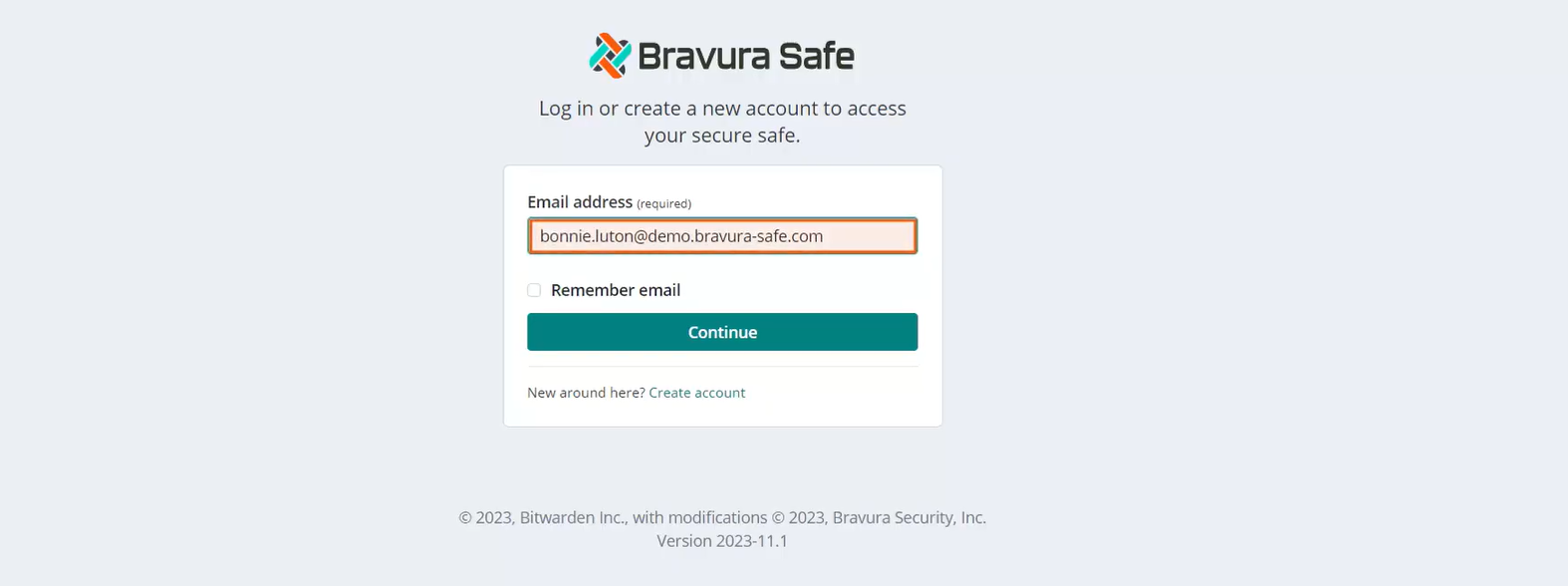
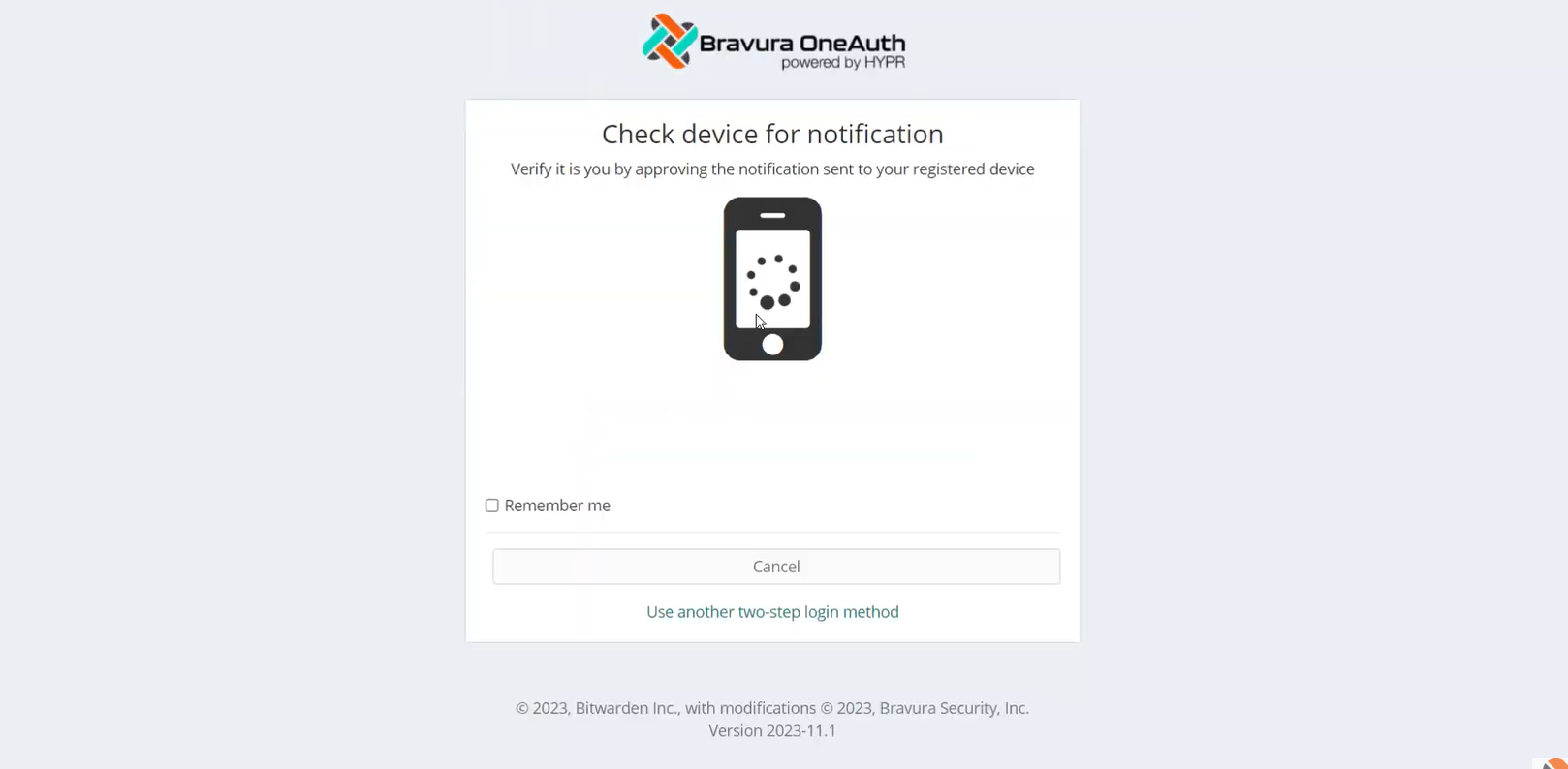
This Bravura Safe configuration requires all members of the Enterprise Team to use Bravura OneAuth with a mobile device as a second authentication factor when logging in to their Bravura Safe account.
In Bravura Safe, a special collection is set up to store managed account credentials.
Locate a collection named "BONNIL". This collection was named using Bonnie Luton's profile ID.
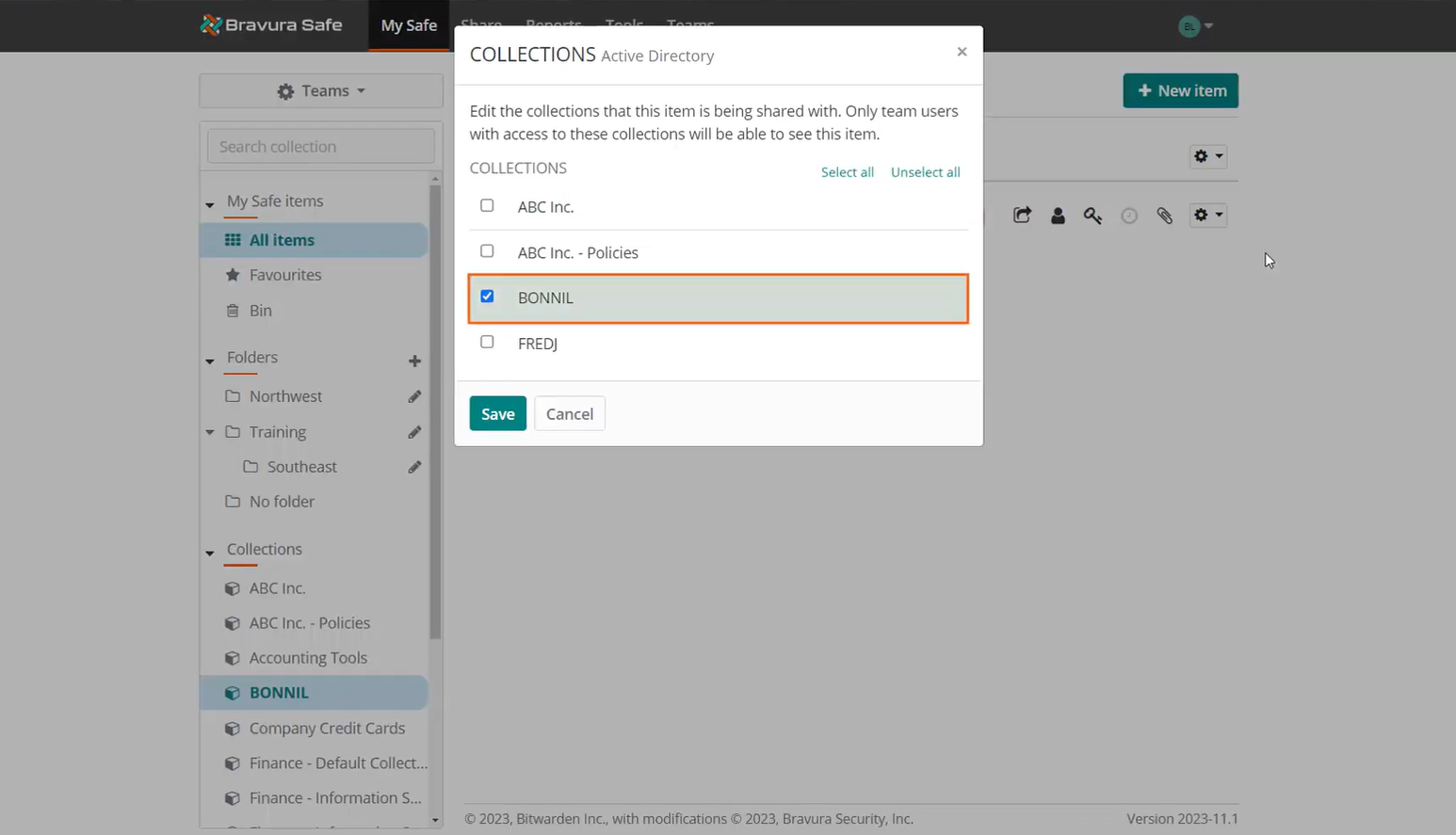
For synchronization, collection names in Bravura Safe are specified to match the profile ID of the user in Bravura Security Fabric .
Locate a login item in the named collection. This example collection has only one login item.
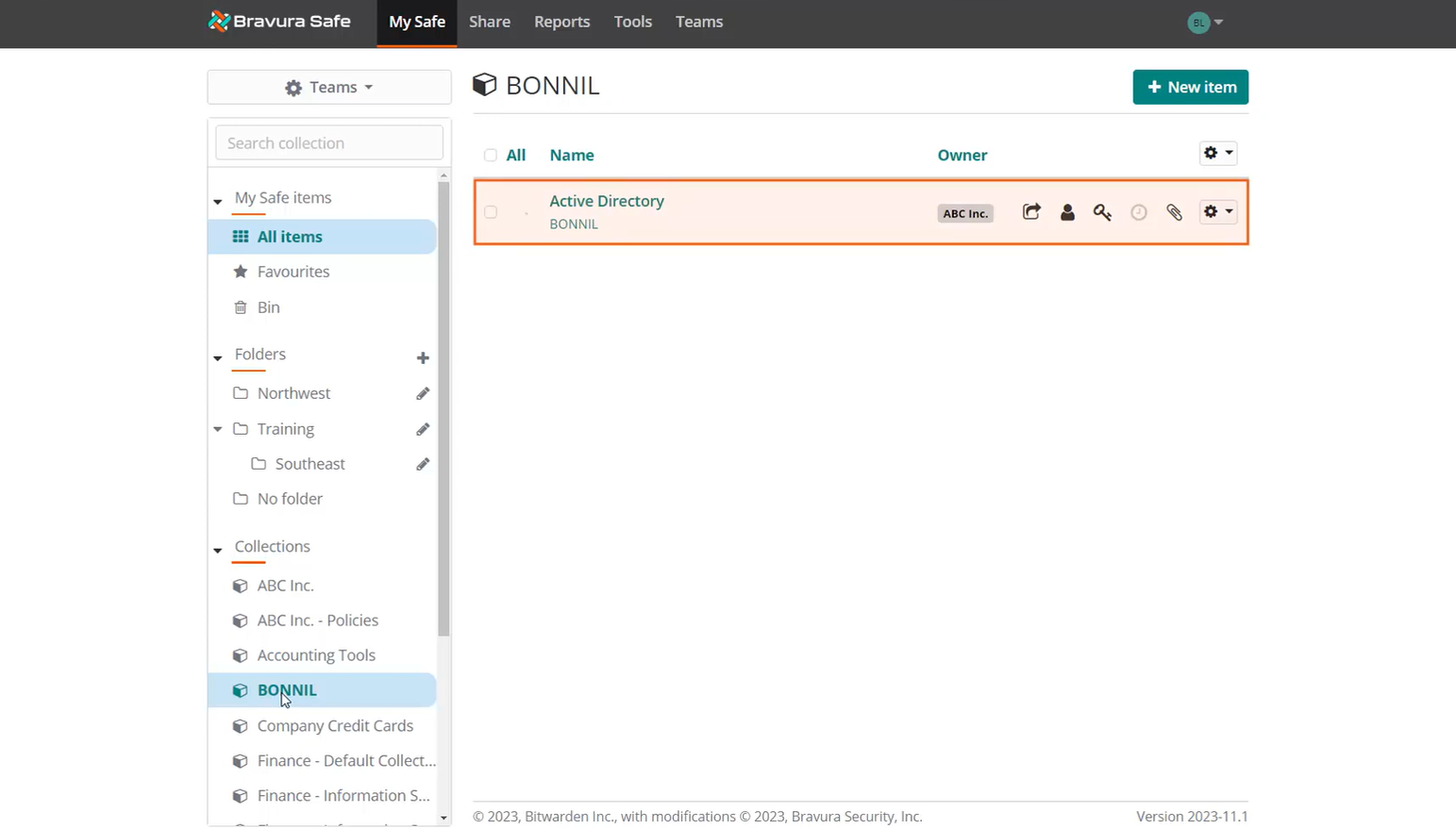
Login items with credentials are stored in the special named collection to be discovered by the Bravura Pass instance and auto-associated to the corresponding user's profile ID. The item must be owned by the Enterprise team and stored in the collection matching the user's Bravura Security Fabric profile ID.
View the current password value and test the login to ensure it can be used to access the corresponding system.
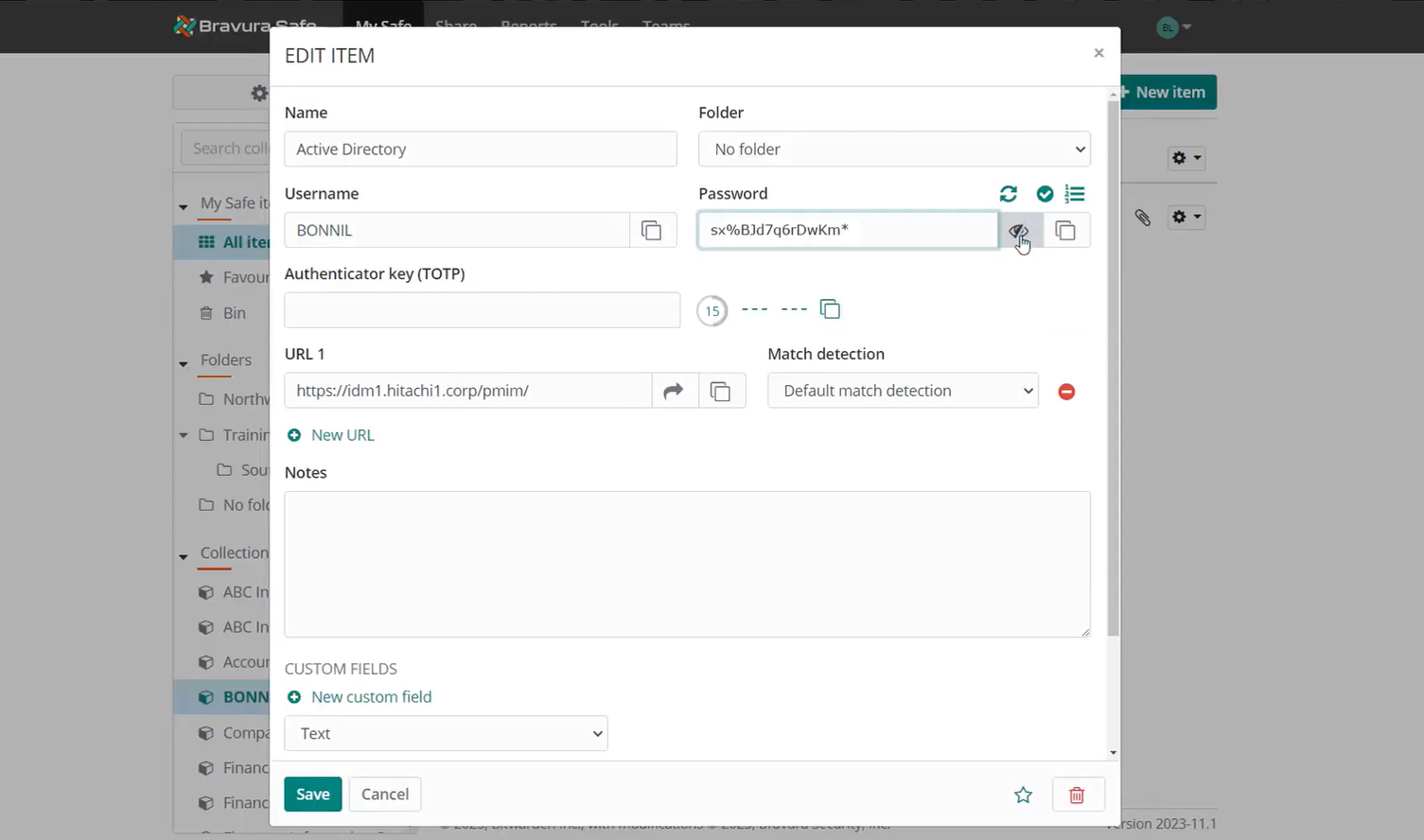
Log in to Bravura Pass
Log in to Bravura Pass with the ID
bonnil.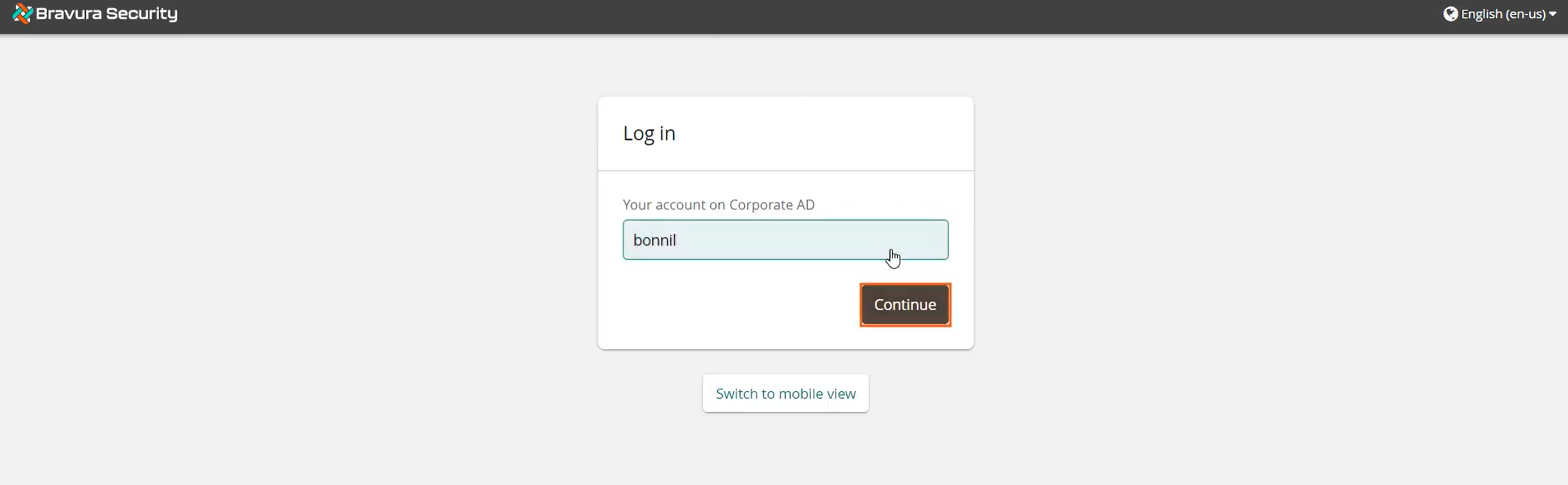
Initiate a Change passwords request.
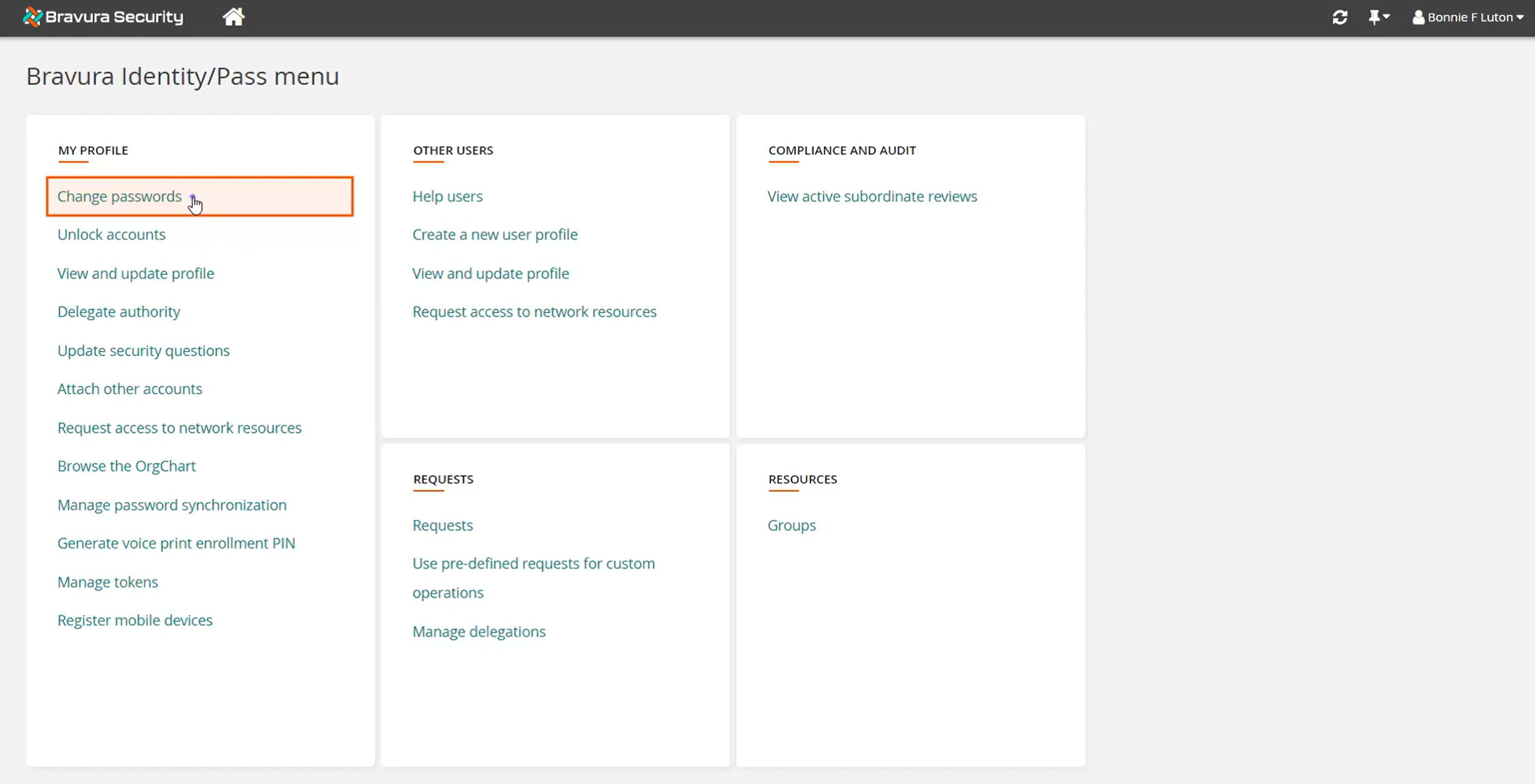
View accounts in target system groups.
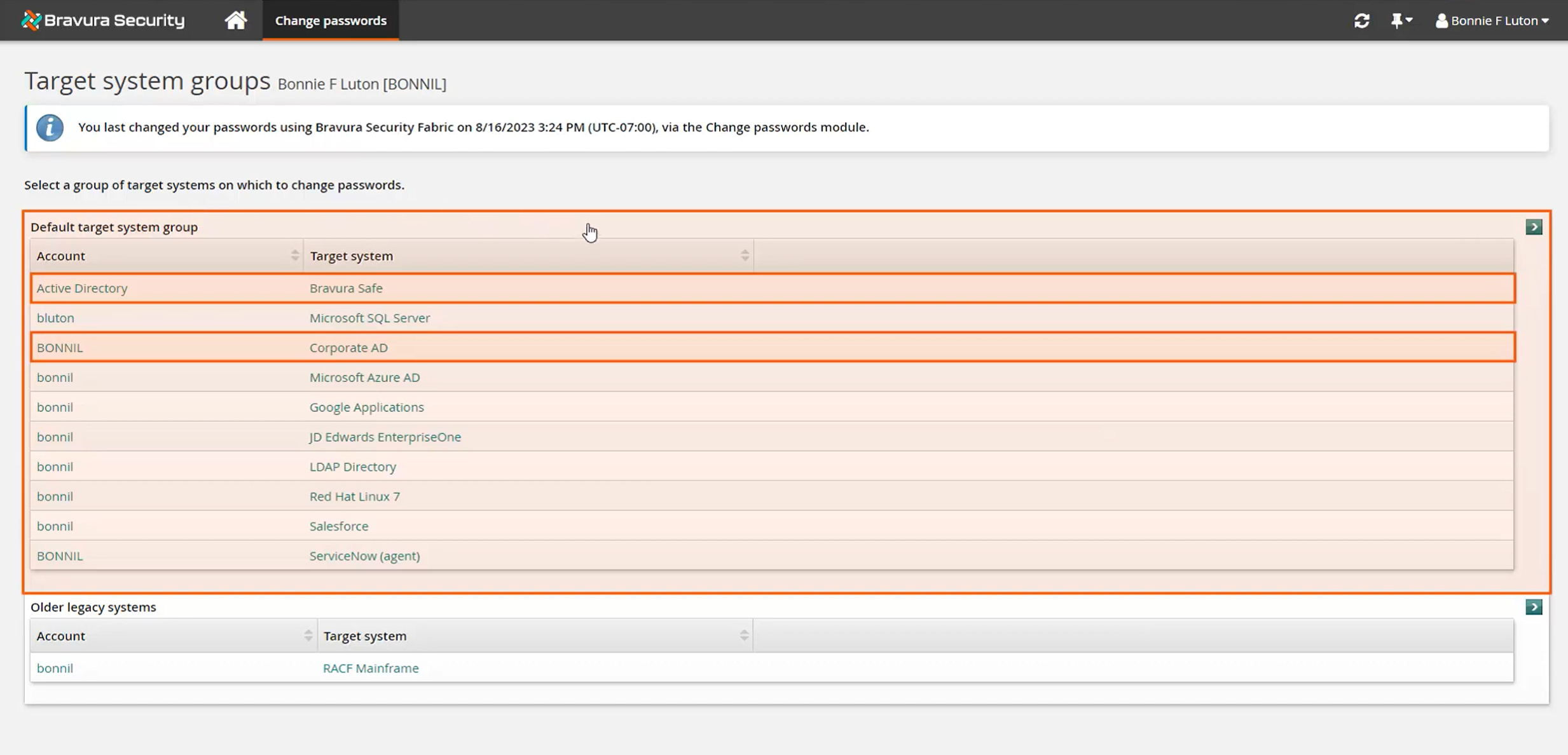
Account objects listed from the Bravura Safe target system will match the list of login items in the corresponding Bravura Safe collection.
Each Bravura Safe login item a user has linked to Bravura Pass will have a corresponding account in Bravura Pass being discovered from its native target system. Both the item and account are associated to the user's Bravura Pass profile ID to ensure password synchronization between them. In this case, the user has a Bravura Safe login item called "Active Directory" that stores the credential for their Corporate AD account. When the user changes their password, both the account and the Bravura Safe login item passwords are updated simultaneously.
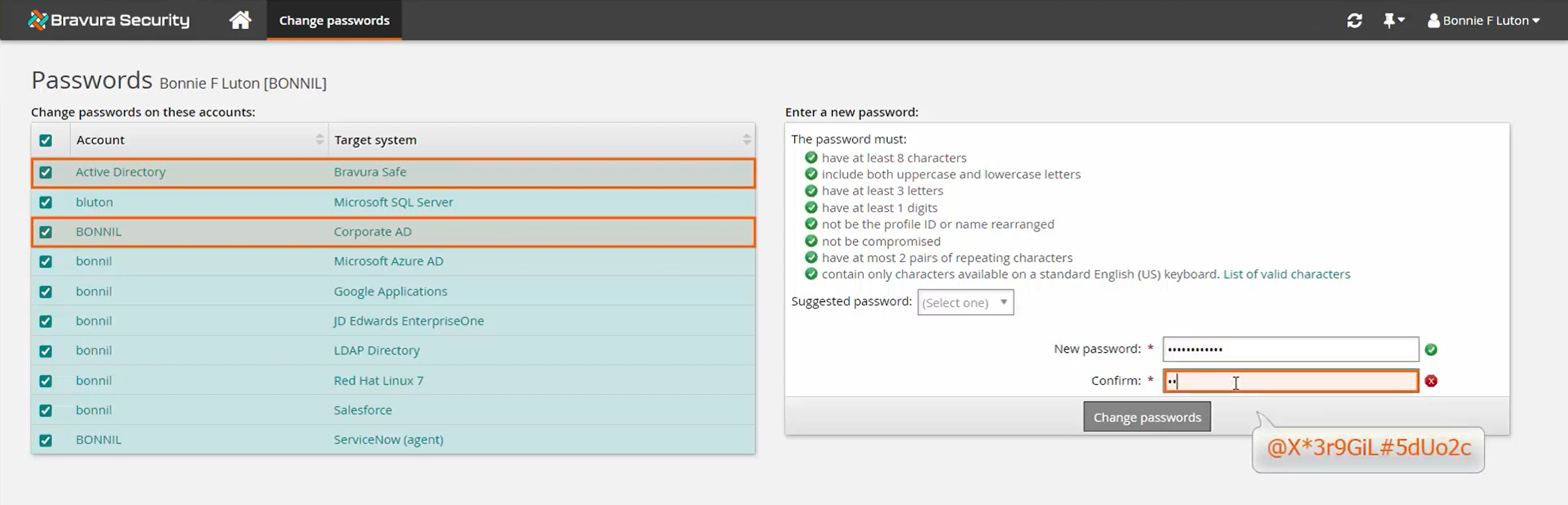
Change passwords for all account objects in the selected target system group in Bravura Pass , which in this case includes the Bravura Safe target item and the respective Corporate AD account.
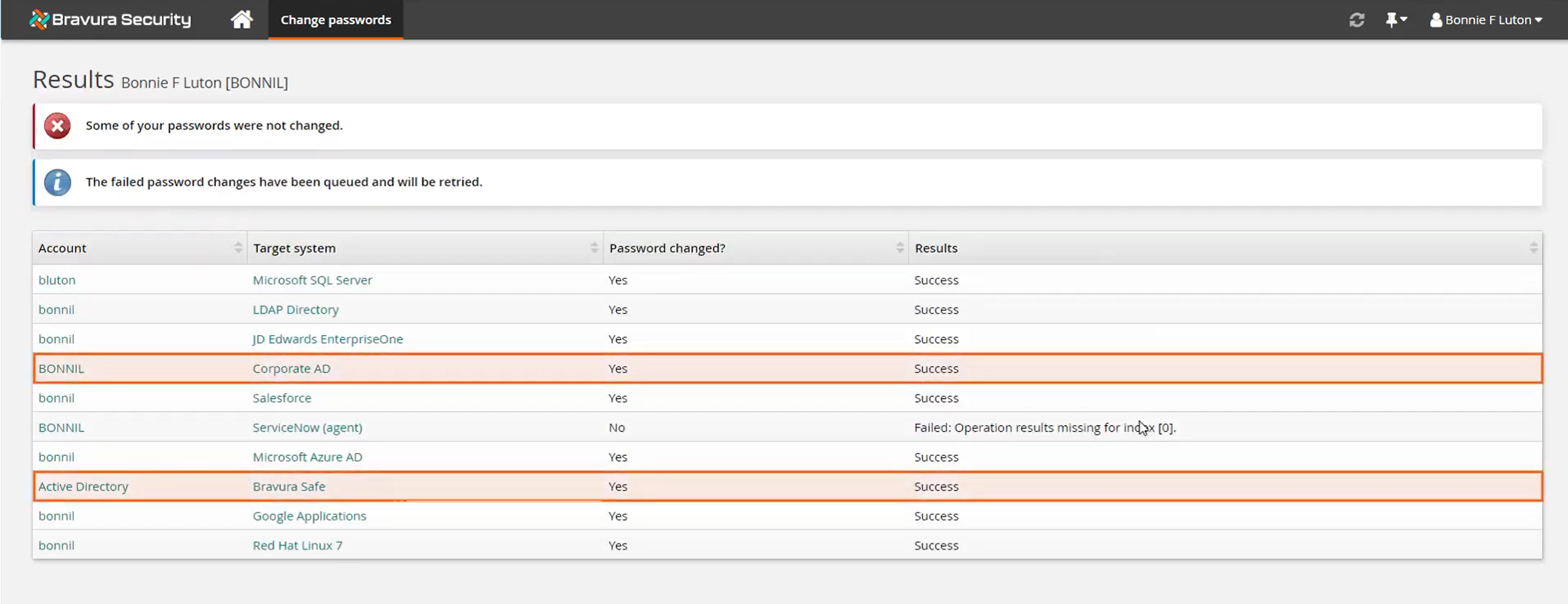
Confirm the change was successful for both the login item and the account.
Return to Bravura Safe to view item
Log in to Bravura Safe again, and view details for the synchronized login item.
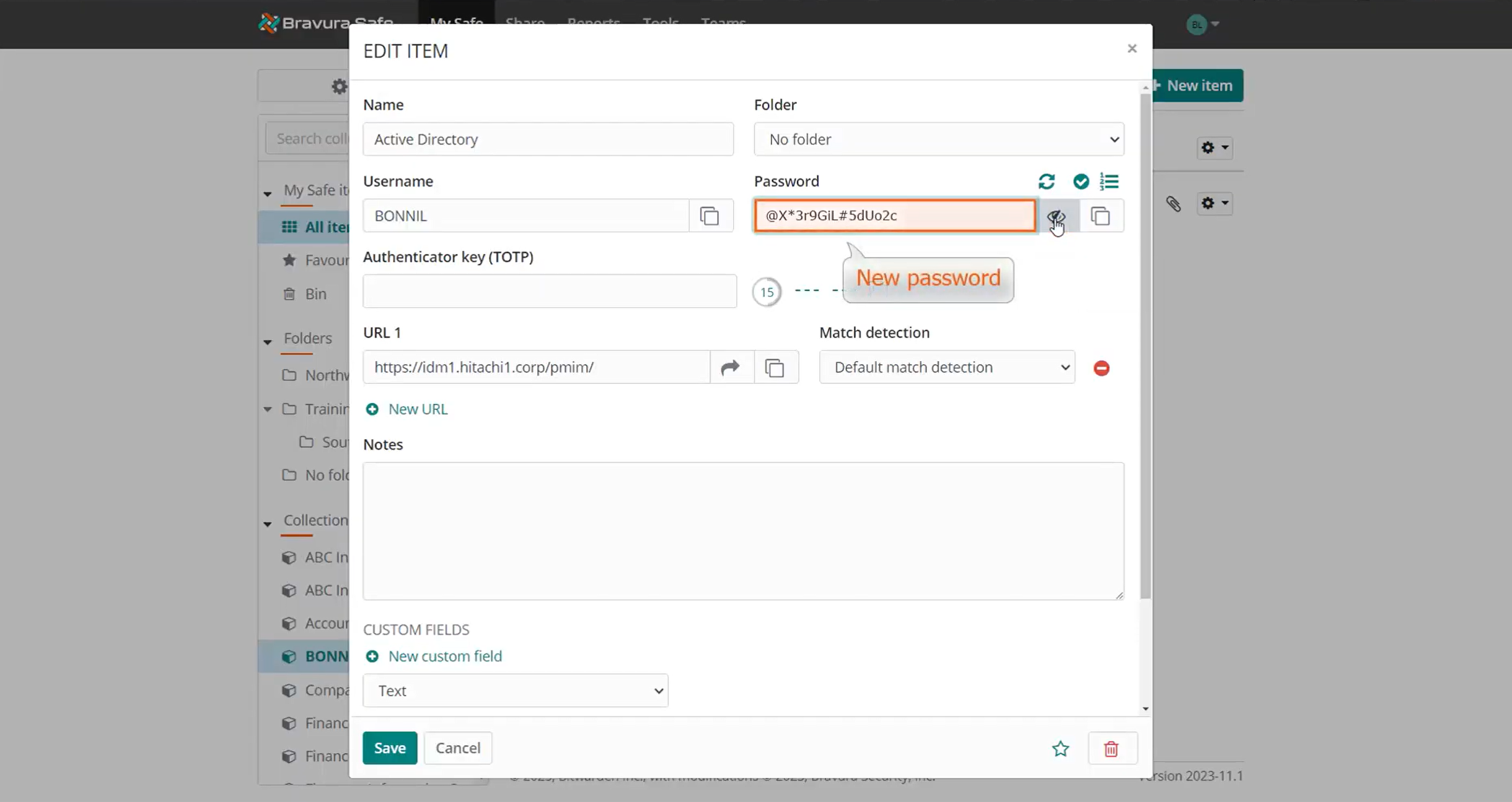
The password was changed for the corresponding login item in Bravura Safe .
Use cases: Bravura Safe synchronization with Bravura Pass
The following are typical use cases for Bravura Safe synchronization with Bravura Pass :
Forgotten password
Bonnie receives a notification from Bravura Pass that her passwords are expiring soon. She changes them on Friday and heads out for the weekend.
Bonnie returns Monday and has forgotten her Active Directory password required to log in. With Bravura Safe password synchronization, she can simply open the Bravura Safe app on her mobile device, get the synchronized password and log in.
Password breach
User account passwords were breached and the organization used a bulk operation to reset all passwords to mitigate risk. This put passwords in Bravura Pass out of sync with login items in Bravura Safe .
Before users can experience any issues, they are notified to perform a simple password change in Bravura Pass ; thus, re-synchronizing account passwords with login items in Bravura Safe . Having experienced minimal disruption, the users can now log in to their accounts using their Bravura Safe item credentials and continue their work.