Using Bravura Security Fabric utilities
Bravura Security Fabric includes a large collection of tools to assist Bravura Security Fabric administrators with server maintenance and advanced administration tasks. These tools are all Win32 executable programs and are located in the util directory of your installation.
Warning
Some of these programs can damage your instance or file system if used incorrectly. Ensure that you have followed all of the instructions carefully before you start using these tools.
Using the command line
All of the Bravura Security Fabric tools are executed from a command-line interface. That is, you type instructions at command prompt, rather than using your mouse to select GUI elements such as buttons or icons.
One such command-line interface is the Bravura Security Fabric Command Prompt, which is the Windows Command Prompt preconfigured for the Bravura Security Fabric environment.
Launching the Bravura Security Fabric Command Prompt
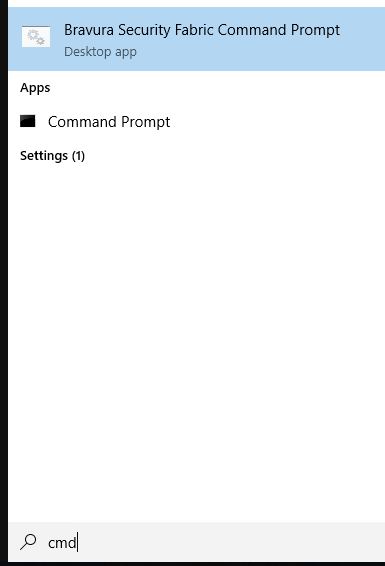
To open a new instance of the command prompt, search cmd and select Bravura Security Fabric Command Prompt.
A window appears with a blinking cursor in the Bravura Security Fabric instance directory.
You can now type an MS-DOS command at the prompt (>). To navigate to the util directory, use the cd (change directory) command. For example, type:
cd util
See your Windows documentation for more information about MS-DOS commands.
Using an alternative command-line interface
You may choose to use a custom command-line interface, such as the Bash Shell (bash.exe) provided with Cygwin, instead of the Windows Command Prompt (cmd.exe). Be aware that some command-line interfaces interpret special characters ("\/|.$) differently.
Unless otherwise stated, all examples in this manual assume that you are executing the program from a Windows 200x Command Prompt. If you use a custom command-line interface, you may need to modify some of the examples to work properly.
Common arguments: help and version
Getting help information
To display the usage summary and version information for Bravura Security Fabric tool, run the program with the -h option. For example, to display the usage for the psupdate program, type:
psupdate.exe -h
Getting version information
To only display version information for Bravura Security Fabric tool, run the program with the -v option. For example, to display the usage for the psupdate program, type:
psupdate.exe -v