Configure widget settings
While the customization menu is active, click the pencil icon in a widget's top-right corner to configure its settings.
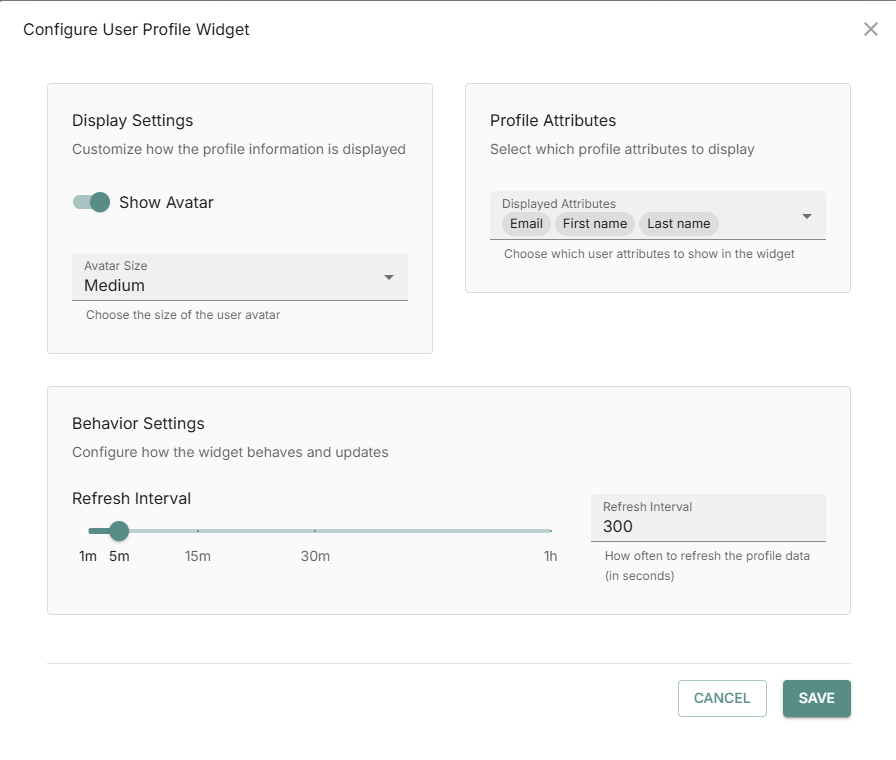
You can control the display settings, behavior settings, and profile attributes to display in your user profile widget. The attributes that you can select depend on the configuration by a product administrator.
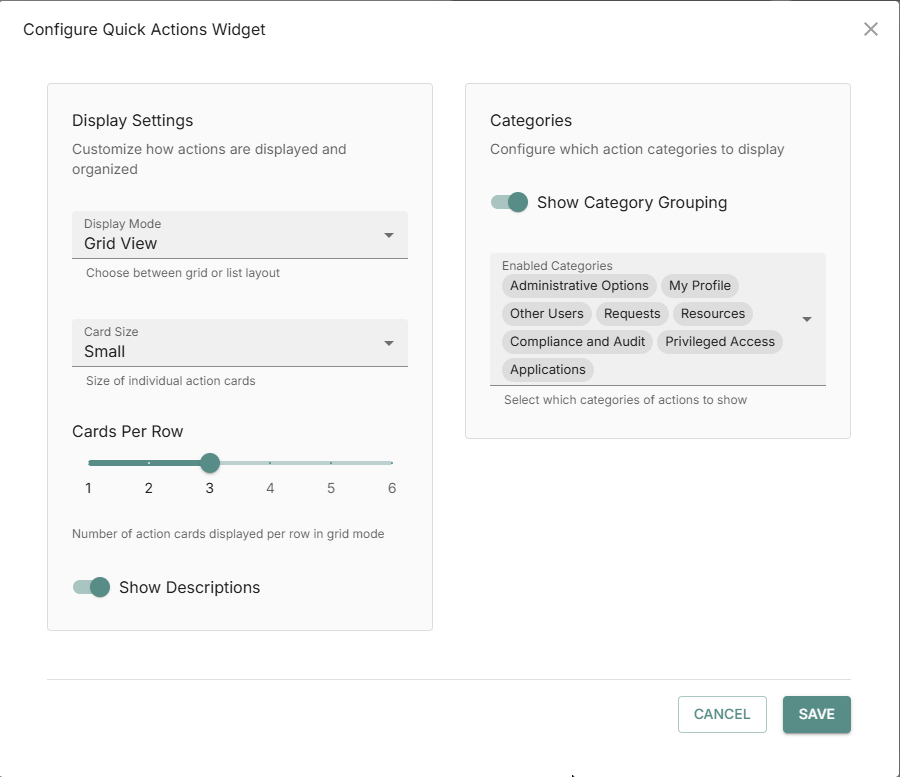
You can control display settings and action categories in the quick actions widget. The action categories depend on license, configuration, and your access control permissions.
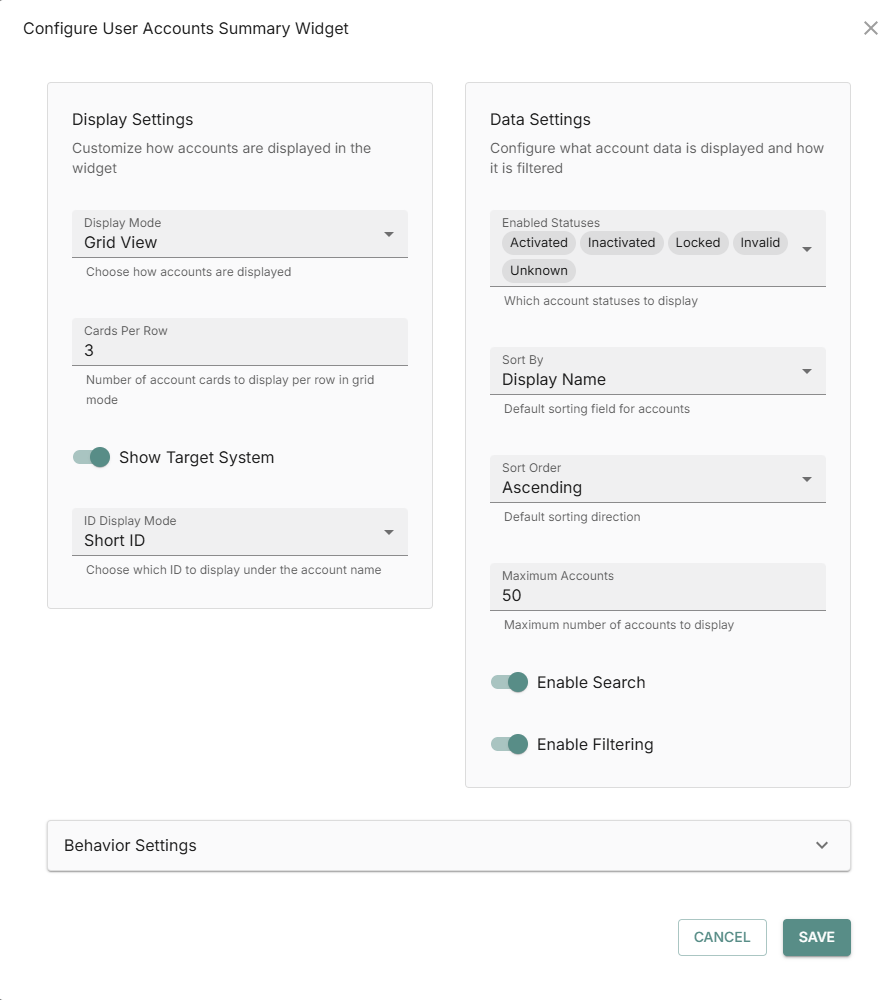
You can control display, behavior, and data settings in the User accounts summary widget.
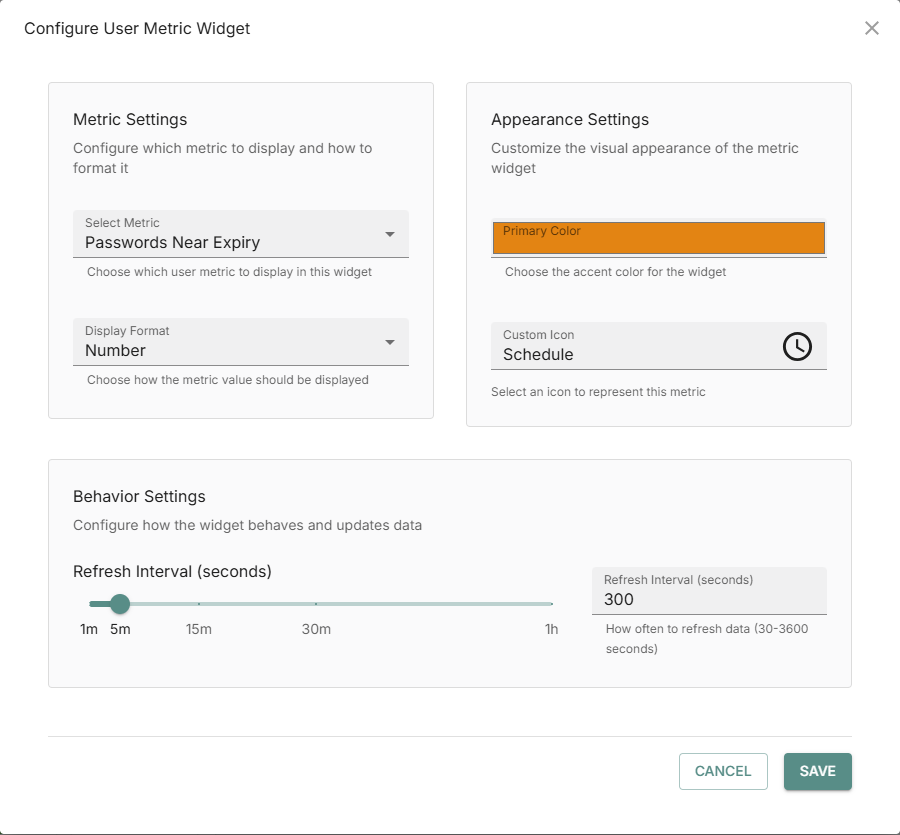
You can control the metric type and format, appearance, and behavior settings in the User metrics widget. You can have multiple metrics widgets. See Add a widget.